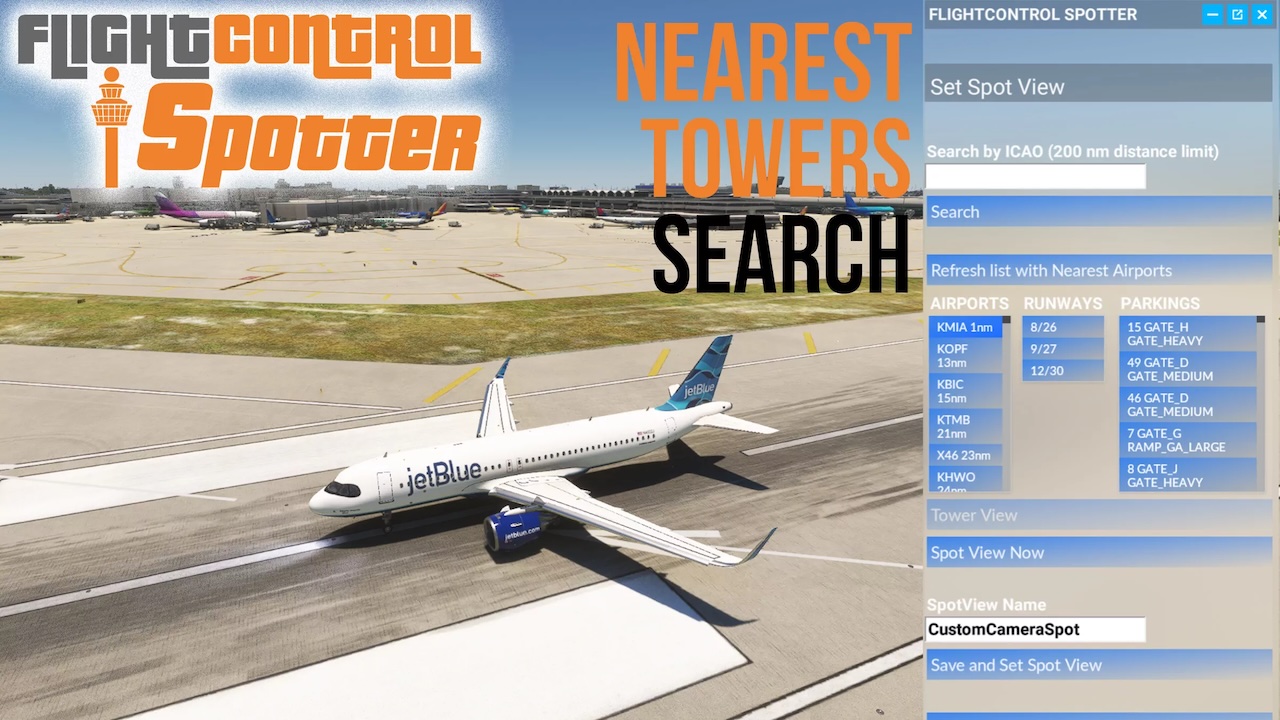
FlightControlTools – FlightControlSpotter MSFS 2024 / 2020
Spot. Capture. Enjoy.
Discover the thrill of plane spotting directly inside Microsoft Flight Simulator with FlightControlSpotter – the ultimate tower and spotting camera utility for MSFS 2020 and 2024.
Whether you want to watch AI traffic at your favorite hub, capture cinematic screenshots, or explore airports from a controller’s perspective, FlightControlSpotter puts you in the perfect position – instantly.
Fully integrated as an in-sim toolbar panel, it gives you one-click access to the nearest control tower, nearby airports, or your own custom-defined spotting locations anywhere in the world.
Why You’ll Love It
No external apps. No complicated setup. Just pure spotting freedom. FlightControlSpotter is built on the default MSFS drone camera, so you keep full movement, zoom, and angle control. Whether you’re a simmer, content creator, or plane spotting enthusiast, this tool opens a whole new way to experience the simulator.
When you’re done watching, one click of the shortcut puts you back in the cockpit – ready to fly.
Features:
• Nearest Tower View – Quick jump to the closest airport tower, with ICAO code and name shown
• Spot View by ICAO – Browse airports within 200 NM, select runways or parking spots, and teleport to Tower or Spot View. Save your favorites for later
• Custom Spot Views – Define your own positions (lat/long/alt), retrieve your aircraft position, or based upon any Preset Spot View in FlightControlSpotter database, and save with custom names
• Manage Your Views – Load or delete stored locations via the panel. Everything is kept locally
• Drone Camera Integration – Built on MSFS drone camera for maximum flexibility in movement, zoom, and angles
• Quick Return to Cockpit – Regain full control of your aircraft anytime with one shortcut
 Airports & Sceneries