 Airports & Sceneries
– New Features:
– Completely new full state saving system with 280 parameters, using JavaScript state saving, rather than state.cfg. See the “Full State Saving” section of this manual for more information on the system, and the “Options Page” section for configuration options.
– Added disabled visual state to tablet options switches (greyed out), like engine/pitot covers/chocks to provide feedback when these options are not available.
– Added custom oil pressure simulation, in which viscosity influences oil pressure.
– Added custom external power system, which bypasses the parking spot limitations of MSFS, and avoids random disconnects. External power can now be enabled anywhere.
– Added inertial separator influence in ITT calculation.
– Added standby alternator controller battery power connection. The annunciator panel will now remain illuminated after complete electrical shutdown, which can serve as a reminder to toggle the standby alternator switch to the off position.
– Added temperature dependent CRT warmup effect to weather radar screen.
– The KAP140’s barometer unit (toggled by holding down the “BARO” button) will now be saved between flights.
– The generator switch will now respond visually to “L:var_GeneratorSwitch” changes.
– The remote compass manual rotation switch will now respond visually to “L:var_GyroSlaveDirectionSwitch” changes.
– The inertial separator handle will now respond visually to “L:XMLVAR_InterSep” changes.
– When the ignition switch is in the on position, an interlock circuit will now prevent the starter from energizing when the starter switch is placed in the “MOTOR” position.
– Added a variables for cockpit builders to easily trigger the momentary deicing switches to their manual positions: “L:var_WindshieldDeiceSwitchOverride”, “L:var_PropDeiceSwitchOverride”, and “L:var_AirframeDeiceSwitchOverride”.
– Pressing the door toggle buttons on the tablet’s payload screen will now stow the ladder if it is blocking the door. Pressing the button again will subsequently close the door.
– Bug Fixes:
– Finally found the cause of erroneous nose gear touchdown chirping while taxiing and rolling down the runway.
– Fixed L:Var var_trueAirspeedRing not animating the true airspeed calculator ring, despite setting the underlying variable, and adjusted the rotation speed for legacy interaction mode.
– Reversed direction of remote compass rotation switch and synchroscope to match description in the manual, and reduced speed of manual adjustment for more precise compass setting.
– Fixed the airframe deicing switch manual position not triggering boot inflation in some circumstances.
– Fixed “starter controller” on the live schematic not illuminating with starter bus external power only.
– Fixed starter switch and signal on the live schematic flickering when the starter automatically cuts out after the engine becomes self-sustaining.
– Starter signal may have illuminated when external power was connected, but not online.
– Fixed implementation issue with engine-driven fuel pump failure that resulted in no torque, despite positive fuel pressure from electric pumps.
– Fixed navigation lights not dimming with battery voltage like other exterior lights.
– The outside air temperature probe/gauge was missing glass-tap sound.
– Fixed missing PMS50 GTN 750/650 knob pushing animation in all aircraft after Dukes.
– Added missing “PUSH CRSR” integrated lighting on GNS 430.
– Fixed placement of light stem emissive mesh on right side of pilot’s airspeed indicator.
– Dynamic registrations on the left side of the aircraft were only medium weight fonts, instead of bold, due to a misplaced curly bracket.
– Removed “Cloud Strobe Effect” from tablet options list, as the effect will now be permanently enabled. (The effect is not as severe as I had once worried, and I have never received any complaints about it.)
Black Square’s tablet interface lets you configure all options, manage payload, control failures, and monitor engines, electrical schematics and environmental control systems, all from within the simulator. The failure system allows for persistent wear, MTBF and scheduled failures for nearly every component in the aircraft. The 3D gauges are affected by physics and can even become stuck without engine vibration, requiring a tap on the glass to free them.
Radio navigation systems are available from several eras of the C208’s history. Fly without GPS via a Bendix KNS-80 RNAV system, or with the convenience of a Garmin GTN 750/650 (PMS50 or TDS). Other radio equipment includes KX-155 radios, KLN-90B, GNS 530/430, KAP 140 Autopilot and an RDR1150XL Weather Radar. A 145+ page manual provides instruction on all equipment, and 42 in-game checklists with control highlighting are included for normal and emergency procedures.
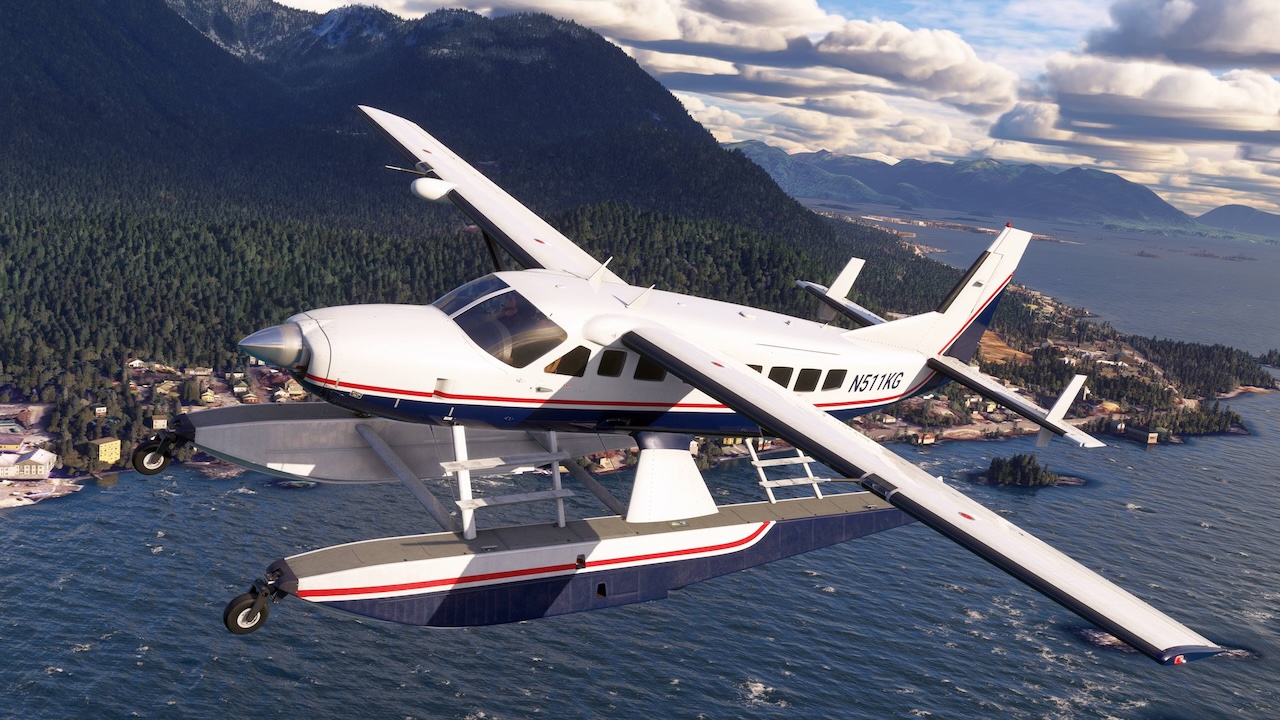
This product includes only the Caravan Amphibian and Cargomaster, with 675 shaft-horsepower PT6A-114A engines, and improved de-icing systems.
ANALOG CARAVAN OWNERS: While the panel of the Caravan Professional might look familiar, almost all other aspects of the aircraft have been rebuilt with Black Square’s current technology and high standards of quality. The major additions include custom exterior models, custom sound package from Boris Audio Works, higher quality materials with modifications for each model of aircraft, fine-tuned performance tables, tablet visualisers with all the systems required to drive them, more avionics options, and the turbine engine simulation that debuted with the Turbine Duke. This expansion of the Analog Caravan represents 1,000+ hours of dedication and roughly a doubling of the aircraft’s code complexity. Once you experience Black Square’s latest technology in your favorite C208, the difference will be clear!
Primarily analogue instrumentation augmented with modern avionics is still the most common aircraft panel configuration in the world. Challenge your piloting skills by flying IFR to minimums with a fully analogue panel and no GPS. You’ll be amazed at the level of skill and proficiency you can achieve to conquer such adversity, and how it will translate to all your other flying.
