 Airports & Sceneries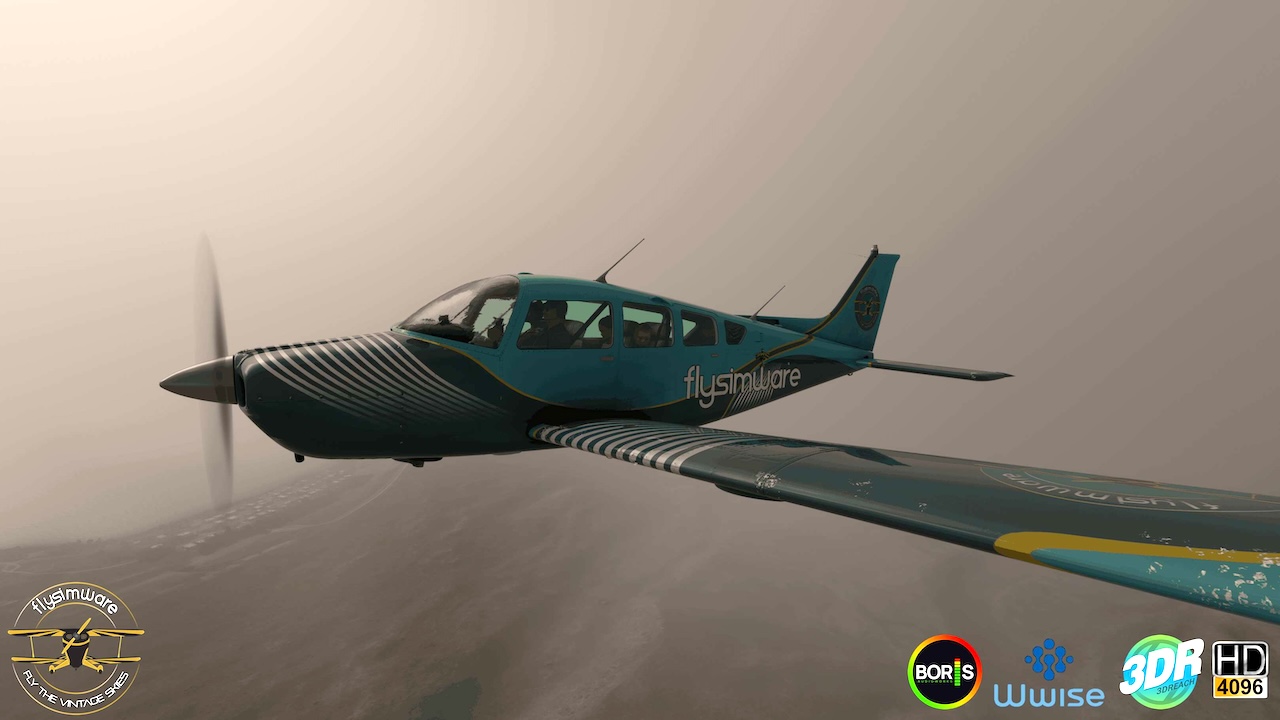
– New Features:
– Dynamic Registration:
– When selecting the November 8888 livery, users can enter any custom tail number using the aircraft registration setting in MSFS 2020.
– The custom registration will display on both the interior and exterior of the aircraft.
– This is the only livery that supports dynamic registration.
– Updates:
– Updated the Flysimware hardware binding system:
– Hardware bindings now identify and remember the actual hardware device instead of relying only on the simulator’s joystick order.
– Existing customer bindings are automatically preserved and migrated to the new hardware identification system.
– If hardware is added, removed, temporarily disconnected, or reordered by the simulator, existing bindings remain associated with the correct hardware.
– Disconnected hardware records are retained as long as bindings still exist, allowing the hardware to reconnect to its existing assignments when it becomes available again.
– Hardware assignments now display the actual device name instead of generic Joystick 1, Joystick 2, etc.
– Each Flysimware aircraft now uses its own dedicated hardware binding WASM and binding storage. Testing determined that a single universal WASM could be loaded by the first compatible aircraft and cause binding data to be stored with that aircraft. Although this could appear to work normally, switching between products could potentially load older or different binding configurations.
– All supported Flysimware products will be updated to use their own dedicated hardware binding WASM.
– An Xbox controller binding issue was also corrected for MSFS 2020 products. This issue did not affect this aircraft, but it benefits from all other improvements to the updated hardware binding system.
– TrueSim Dynamic Dirt Effects:
– Added TrueSim dynamic dirt effects for the aircraft body and windshields.
– Dynamic effects include dust, dirt, insect splatter, mud, and runway tar.
– Some dirt effects will dynamically wash away depending on rain strength, while others require a full cleaning using the EFB Dynamic Dirt Effects page.
– Bug fixes:
– Turn Coordinator Calibration:
– The turn coordinator has been correctly calibrated and is now operating as intended.
v1.2.8:
– Updates:
– GNS 530 and GNS 430 Brightness Control:
– Updated the GNS 530 and GNS 430 screen brightness logic to allow both GPS displays to be controlled by the panel light brightness knob.
– Panel Light Knob:
– Updated the panel light knob with a minimum setting of 1% to prevent the panel lighting system from being switched completely off.
– This also prevents the simulator flashlight from activating when the panel light knob is turned to its minimum setting.
– Saved Lighting States:
– Gear unsafe, center, left, and right gear light brightness, panel lights, and overhead lights will now correctly restore to their last saved states when the aircraft is loaded.
– Bug fixes:
– TDS GTN 750/750Xi Electrical Logic:
– Corrected an issue where pulling the GPS circuit breaker for the TDS GTN 750/750Xi would only hide the display while the unit continued to operate in the background.
– The TDS GTN 750/750Xi is now correctly tied to its assigned electrical circuit and will completely shut down when power is removed.
– When the circuit breaker is restored, the unit will now perform a fresh boot-up sequence as expected.
– GPS 2 Circuit Breaker:
– Corrected the GPS 2 circuit breaker assignment so it now properly controls the GTN 750 and GTN 750Xi.
The Sierra C24R is great for short hops with a ceiling of 14K feet. With six panels (3-G3X GLASS PANELS & 3-G5 ANALOG PANELS) you have many choices to choose from to fit your needs as a pilot. All the panels use the working title autopilot integration except for the G5 TDS GTN750Xi panel. This is a must have GA aircraft for your private hangar for many many years!
Features:
• Real World operational
• Realistic flight dynamics
• 4K full PBR textures
• Interactive environment sounds
• All sounds produced from Boris Audio Works using the game industry standard Wwise software
• Custom coded World gauges and animations
• Avionics include the Garmin GTX345 / Garmin GMA 340 / Garmin GNS 530 / Garmin GTN750 / Garmin GTN750XI
• Integrated Navigraph G3X plugin
• Includes a High quality pilot and copilot
• Windshield rain effects
• Exterior icing effects
• Parking mode / Chocks / Tie Downs / Engine Plugs / Covers
• Save state / Parked Modes / Fuel / Units
• Tablet includes checklist Page / Save state options / Fuel page / Payload Page / Weather Page / Configuration page
Model Variation:
• Sierra C24R – G5 / GNS 530 GPS
• Sierra C24R – G5 / PMS50 GTN 750 GPS integration (Requires PMS 50 GTN 750 product installed)
• Sierra C24R – G5 / TDS GTN 750Xi GPS integration (Requires TDS GTN 750Xi product installed)
• Sierra C24R – G3X / GNS 530 GPS
• Sierra C24R – G3X / PMS50 GTN 750 GPS integration (Requires PMS 50 GTN 750 product installed)
• Sierra C24R – G3X / TDS GTN 750Xi GPS integration (Requires TDS GTN 750Xi product installed)
Paint Themes:
• 4XDZM
• GMTT
• C-FBOC
• DEIMB
• FSW-3DR
• GBYDG
• N6715S
• N6992R
• N18841
• N24017
