 Airports & Sceneries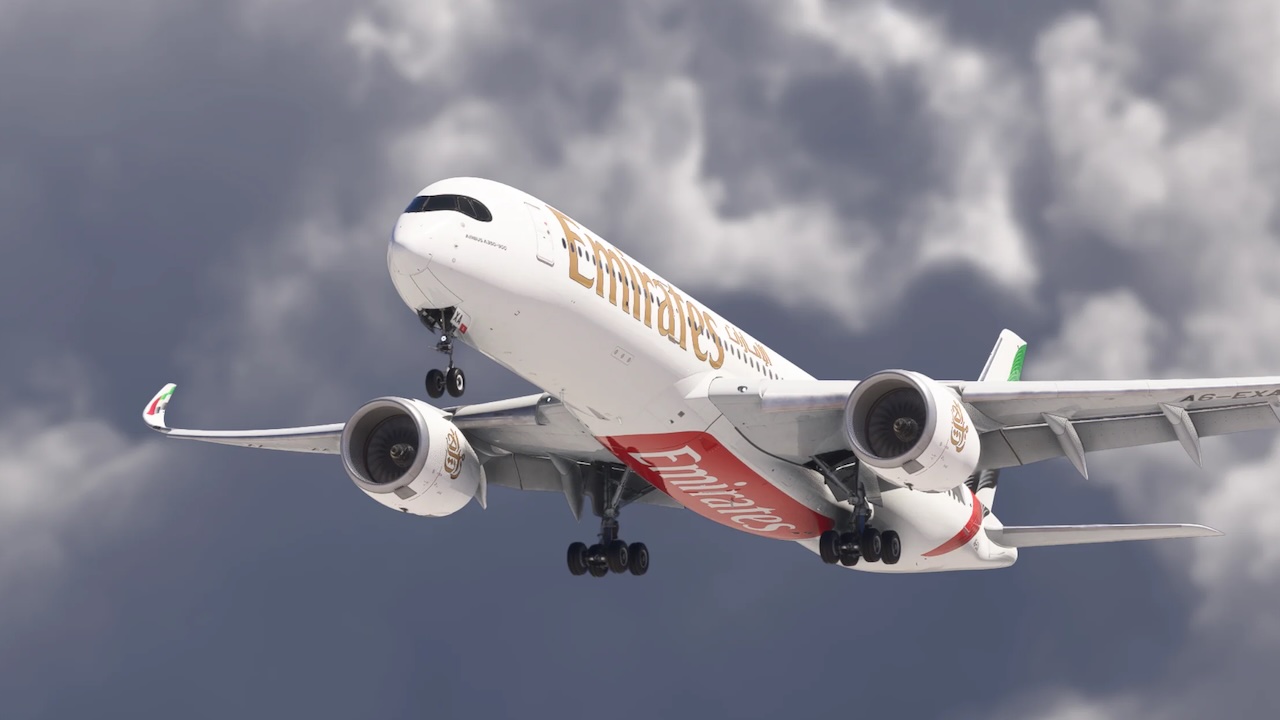
Note: If you own a Navigraph subscription, you can update the navdata using the aircraft’s OIS display (see the Documentation).
Note: You can download liveries for this aircraft by using the iniBuilds iniManager.
Note: Documentation located at “inibuilds-aircraft-a350\Resources\Documentation”.
– Fixes compressed PFD and ND screens being displayed on initial load in.
v1.2.8:
– Systems:
– FIXED – WASM crash when changing cabin announcement language
– FIXED – MSFS 2020 engines failing to start from Cold & Dark
– FIXED – Incorrect altitude displayed for TCAS targets
– FIXED – Permanent TCAS Resolution Advisory
– FIXED – RWY NAV remaining armed during flight
– FIXED – Changing destination not updating transition level
– FIXED – Fuel predictions using SimBrief profiles
– FIXED – Incorrect altitude predictions at waypoints
– FIXED – Manual speed restrictions incorrectly applying to all subsequent waypoint predictions
– FIXED – Selected altitude affecting subsequent altitude predictions on the F-PLN page
– FIXED – Incorrect level-off arrow on the ND
– FIXED – Incorrect altitude and flight level formatting on the F-PLN page when FUEL & LOAD is not completed
– FIXED – Aircraft ignoring speed constraints
– FIXED – Brakes heating up when loading in Cold & Dark
– FIXED – Missing THR RED, ACCEL, TRANS and EO ACCEL values on the PERF TO page
– FIXED – Automatic step climb not working reliably
– FIXED – CHECK DATABASE CYCLE message appearing on load
– FIXED – DCT TO LL indication on the ND
– FIXED – VSD displaying the previous waypoint identifier instead of the next waypoint during an OFFSET
– Art:
– FIXED – Window blurriness
– FIXED – Missing FAP on the A350-1000 variant
– FIXED – Invisible textures on certain galley containers in no-cabin variants
– EFB:
– FIXED – Incorrect aircraft positioning on the enroute map
– FIXED – Removed CUSTOM announcement option
– FIXED – Takeoff performance calculator favouring Flaps 3 too frequently
– Sounds:
– FIXED – Missing oxygen mask test audio
– FIXED – Radio altimeter callout tone and balance adjusted
– FIXED – Missing flap sounds in the forward cabin and flight deck
The A350 for flight simulation offers advanced flight systems like a fully interactive MCDU, MORA, SND, lateral offsets, ADS-B, and FLS/GLS landing systems, with custom terrain radar and GPS jamming for added realism. Its immersive cockpit features a detailed 3D model with animated components, interactive avionics, and customizable accessories, ensuring a realistic pilot environment. In FS24, a functioning virtual cabin introduces dynamic lighting, animated doors, and challenging cabin scenarios. The exterior boasts ultra-detailed models with animated elements and realistic textures, while an authentic WWise sound set enhances the experience with environmental audio cues and Trent XWB engine sounds.
Features:
• Realistic Flight Experience: Using available real world flight performance data and pilot feedback
• Enhanced Display of Minimum Off-Route Altitude (MORA), provides at least 1,000 feet of terrain clearance (or 2,000 feet in mountainous areas). Displayed on Navigation Display.
• Secondary Navigation Display (SND), a backup navigation mode used when primary FMS is unavailable or degraded.
• Fully interactive ND with flight plan actions
• Over 200 ECAMs implemented including functions for:
• All the standard procedure flow with warnings emergency cancel, recall modes, clear
• Memos & Limitations
• Status page
• Some abnormal Checklists
• Comprehensive replication of the Multifunction Control and Display Unit (MCDU), including:
• CDA (Continuous Descent Approach) Implementation
• ETT (Estimated Take-off Time)
• CMS (Constant Mach Segment)
• ETP (Equal Time Point) Function
• Multiple secondary flight plans
• Pilot-defined waypoints
• Keyboard control input
• ADS-B TCAS
• FLS and GLS Landing System modelled
• Custom Terrain Radar: Provides accurate terrain mapping for enhanced situational awareness
• Automatic emergency descent function
• Autosave System: User-configurable time intervals for automatic saving, allowing manual saves and resuming flights with preserved aircraft state and system variables.
• Throttle Calibration Reset Button
• Improved checklist logic elements
• Enhanced GPS Jamming: Now features geo-specific jamming based on real-world areas where GPS jamming occurs. BTV, TCAS, ROPS/ROW, GPWS & GPS are systems that can be affected. Some may recover, some may fail permanently!
• CPDLC Integration via Hoppie:
• Full Controller–Pilot Data Link Communications functionality integrated directly into the aircraft systems
• ATIS/METAR requests
• Mailbox functions
• Flight Controls (FBW):
• New Fly-by-Wire features added
• Auto De-Rotation
• Improved Yaw Damper
• Improved Rotation Law
• Features requiring a Navigraph subscription:
• Airport Navigation Function [ANF]
• Brake To Vacate [BTV] (Manual Distance Entry BTV does not require Navigraph subscription)
• Runway Overrun Prevention System / Runway Overrun Warning [ROPS/ROWS]
• Navigraph and SimBrief Support:
• Seamless integration for up-to-date navigation data
• Flight planning download from in-sim
• Database update from in-sim (Navigraph subscription required)
• Base Navigraph data is bundled with the aircraft for AIRAC 2303
