 Airports & Sceneries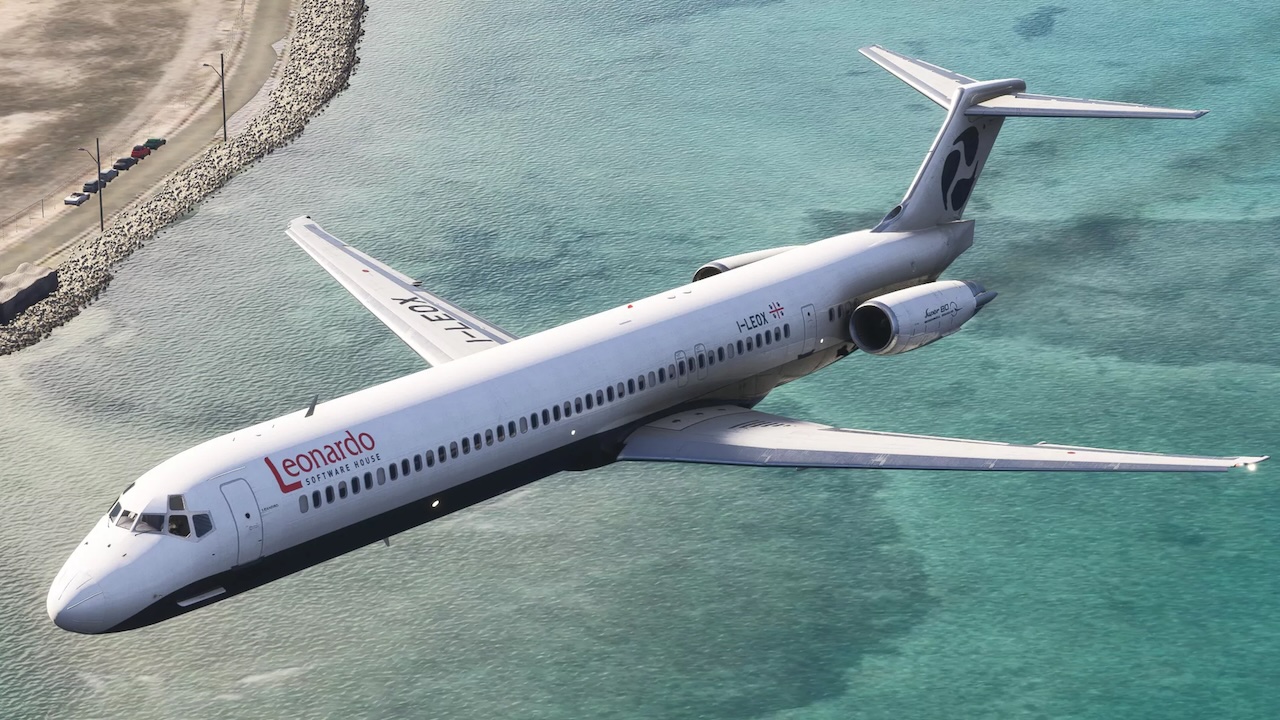
Note: To turn on the in-game tablet, press and hold the home button for a few seconds.
Note: If you own a Navigraph subscription, you can update the navdata using the Navigraph Hub application.
Note: Currently not compatible with the Immersive Audio MaddogX Sound Immersion NG addon. If you want to use this Sound Pack, use the older version of the aircraft instead.
– Maddog Manager:
– Added button in Liveries Manager to download the official paintkit
– Added volume control in Settings for AC flow, rack fan, stby horizon vibrator and hydraulic pump
– Changing cockpit lightning from Manager has now immediate effect if the sim is running
– When ‘realistic rudder option’ is enabled, now full physical rudder pedal escursion is used to turn nose wheel +-17°
– Removed setting ‘Use Simbrief for fuel/Route Planning and ACARAS OFP’, not used anymore in 20th Edition
– 3D Model:
– Fixed issues in upper overhead (missing screws, misplaced flight rec switch guard, emer lt model)
– Fixed issues in external model (cut in the left wing, right ldg gear too high, misplaced polygon on the fuselage above the wing and UV of left fuselage aft of wing)
– Fixed issue with stby hor integral light
– Added option Alt100Below10000 (manual maddogx.ini setting only): if set, FGCP altitude inc/dec will always be by 100ft steps below 10000ft
– EFB:
– Added the possibility to change panel state ‘on the fly’ in Services, MAINTENANCE APP
– Added support for new GSX menu (complete/abort service)
– Systems:
– Added state of vsi/tcas display brt knobs in turnaround mode
– Maddog GPU (clicking on EFB GPU button, not GSX) can now be selected even if engine and beacon are ON, it only needs parking brakes ON
– Misc:
– Updated documentation
Fly the Maddog 20th Anniversary Edition brings the legendary MD-80 back to life with study-level systems, authentic flight dynamics, and an uncompromising focus on realism.
Now featuring a completely redesigned virtual cockpit, external model, and virtual cabin, this edition delivers a significant visual upgrade while preserving the depth and accuracy that made the Maddog iconic.
Every system, procedure, and interaction has been meticulously recreated to reflect real-world airline operations, offering an experience built for simmers who demand precision, immersion, and realism.
Rediscover an aviation icon. Fly the real, Fly the Maddog.
Three aircraft variants included:
• McDonnell Douglas MD-82 – JT8D-217A/C engines – Registration I-LEOX – House livery
• McDonnell Douglas MD-83 – JT8D-219 engines – Registration N590AA – American Airlines livery
• McDonnell Douglas MD-88 – JT8D-219 engines – Registration N991DL – Delta Air Lines livery
Highly detailed, high-resolution Virtual Cockpit, Exterior Model and Passenger Cabin.
Every switch, knob and lever in the Virtual Cockpit is fully animated and connected to the corresponding real-world aircraft system.
The Passenger Cabin features full lighting control, forward stair control and advisory panels in the forward attendant control panel. Functional non-smoking and fasten-seatbelt annunciators, courtesy lights, window shades and tray tables are included.
Additional liveries are available free of charge and can be downloaded and installed via the included Livery Manager. Liveries may also feature cockpit customisation (colors and placards), as well as passenger cabin seat colors and headrest logo customisation.
Features:
• Pax cabin & Interior Simulation
• Authentic cockpit and external sounds, recorded from a real MD-82 aircraft
• Flight Management System (FMS)
• Electronic Flight Bag (EFB)
• Communication & Radios
• Electrical System
• Fire Protection
• Flight Controls
• Fuel System
• Hydraulic System
• Ice & Rain Protection
• Indicating & Warning Systems
• Landing Gear & Braking
• Navigation Systems
• EGPWS with Terrain
• Weather Radar
• Pneumatic System
• Auxiliary Power Unit (APU)
• Doors & Ground Handling
• Powerplant & Engine Management
• Lighting Systems
• Sounds & Audio Environment
• Flight Dynamics & Effects
• Camera Systems & Views
• Documentation & Manuals
Customizable avionics:
• Flight Management System (FMS) options:
• Honeywell 4052504 AFMS with full LNAV and VNAV capabilities
• Canadian Marconi CMA-900 (LNAV) plus PMS (Performance Management System)
• RMI types
• HFDS (Head-up Flight Display System)
• Autobrakes
• Altimeters
• TRP (Thrust Rating Panel)
• TAS/SAT indicator
• EFIS options
Dual, fully independent Electronic Flight Bag (EFB) tablets (CM1/CM2):
• Each EFB includes the following apps:
• Setup
• Performance Calculator
• Weight & Balance Calculator
• Electronic Flight Folder (SimBrief integrated)
• Electronic Aircraft Technical Log
• Documents (Operating Manuals)
• Services (aircraft customisation, GSX integration, doors and stairs control, etc.)
• Navigraph Charts app (subscription required)
Additionally:
• Navigraph Charts and SimBrief full support and integration
• GSX fully integrated and operated directly from the in-cockpit Electronic Flight Bag (EFB)
• IVAO/VATSIM ACARS / CPDLC integration via Hoppie
• SayIntentions.AI ACARS / CPDLC integration
• BeyondATC ACARS / CPDLC integration
