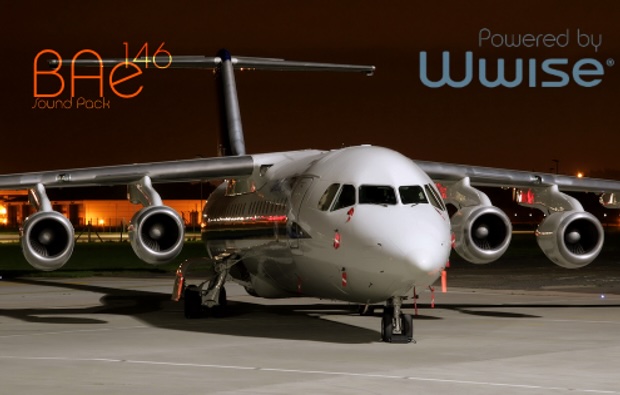
FTSiM+ – BAe 146 Sound Pack v1.0.1July 29, 2025August 14, 20265 CommentsFTSiM+, Just Flight, MSFS 2020 Sound Pack Important Install by extracting to a location of your choice and then follow the INFO.pdf! Changelog v1.0.1: – Fixed Missing overhead Switches – A Little Tweak for the Engines “in-Cruise” sounds Description BAe 146/RJ100 Sound Pack For MSFS 2020 Compatible with: Just Flight BAe 146 Professional Features: • Engine sounds • Weather sounds: Wind (Int/Ext) Rapidgator Download ↳ Rapidgator Premium↳ Availability not guaranteed ModsFire Download ↳ Due to rate limits, do not download multiple files at the same time Torrent Download Label {} [+] Name Email Please follow these rules or your comment will be deleted: 1. Only post comments about technical questions and answers. For example, an addon not working, techniques to improve an addon, compatibility and other troubleshooting questions. 2. Comments that can easily be answered by our FAQ, Important & Info Boxes on top of a post or stickied comments will be deleted. 3. If someone else has already posted a comment with the same question you are having, your comment will be deleted. So make sure to look through other existing comments first. 4. Treat other commenters with respect. If you want to discuss anything else about an addon, make a thread on the official MSFS forums instead. For any other inquiries, use our Contact Form. After commenting, please wait until your comment is manually approved by us, this might take up to a week. I confirm that my comment follows the rules above. Δ Label {} [+] Name Email Please follow these rules or your comment will be deleted: 1. Only post comments about technical questions and answers. For example, an addon not working, techniques to improve an addon, compatibility and other troubleshooting questions. 2. Comments that can easily be answered by our FAQ, Important & Info Boxes on top of a post or stickied comments will be deleted. 3. If someone else has already posted a comment with the same question you are having, your comment will be deleted. So make sure to look through other existing comments first. 4. Treat other commenters with respect. If you want to discuss anything else about an addon, make a thread on the official MSFS forums instead. For any other inquiries, use our Contact Form. After commenting, please wait until your comment is manually approved by us, this might take up to a week. I confirm that my comment follows the rules above. Δ 5 Comments Newest Oldest Load More Comments
 Airports & Sceneries