 Airports & Sceneries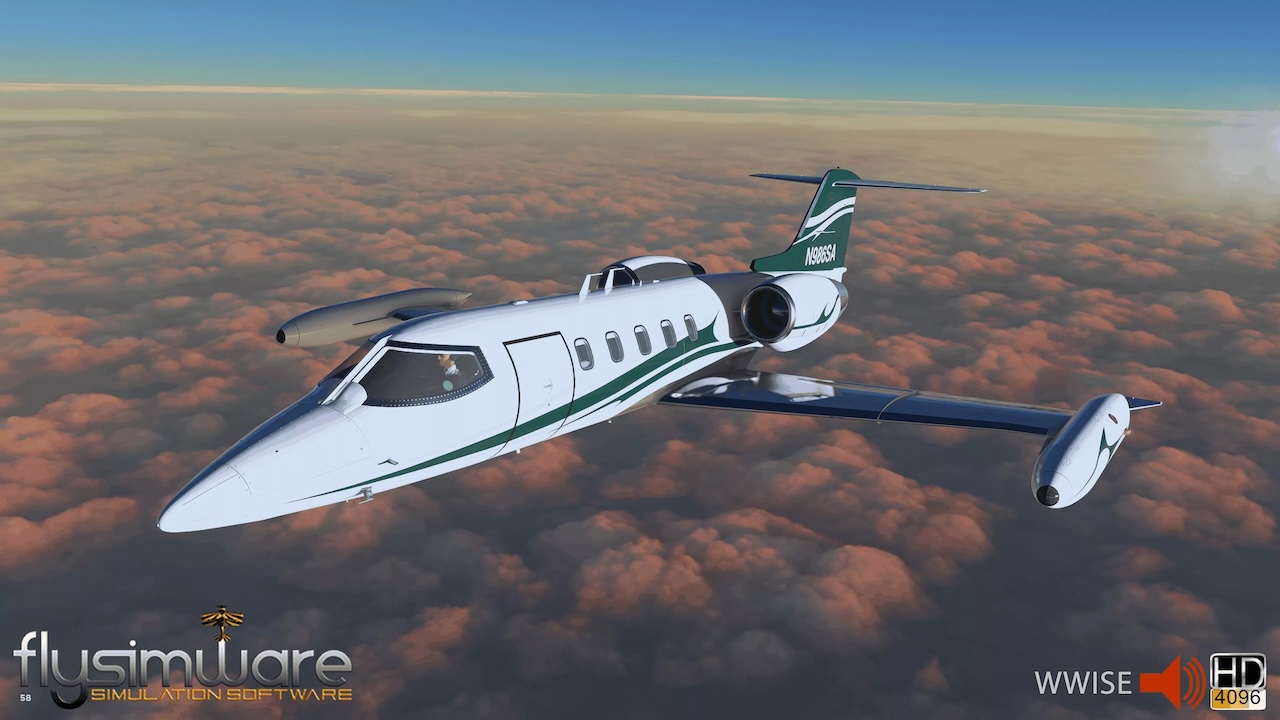
– Updates:
– Updated the Flysimware hardware binding system.
– Hardware bindings now identify and remember the actual hardware device instead of relying only on the simulator’s joystick order.
– Existing customer bindings are automatically preserved and migrated to the new hardware identification system.
– If hardware is added, removed, temporarily disconnected, or reordered by the simulator, existing bindings remain associated with the correct hardware.
– Disconnected hardware records are retained as long as bindings still exist, allowing the hardware to reconnect to its existing assignments when it becomes available again.
– Hardware assignments now display the actual device name instead of generic Joystick 1, Joystick 2, etc.
– Each Flysimware aircraft now uses its own dedicated hardware binding WASM and binding storage. Testing determined that a single universal WASM could be loaded by the first compatible aircraft and cause binding data to be stored with that aircraft. Although this could appear to work normally, switching between products could potentially load older or different binding configurations.
– All supported Flysimware products will be updated to use their own dedicated hardware binding WASM.
– An Xbox controller binding issue was also corrected for MSFS 2020 products. This issue did not affect this aircraft, but it benefits from all other improvements to the updated hardware binding system.
v1.8.5:
– Updates:
– Added the Autopilot Pitch Ref Up/Down bindings and Gear Horn Test/Mute bindings that were accidentally omitted when the external binding software was moved into the internal EFB binding software. These bindings are now included.
v1.8.3 – v1.8.4:
– New Features:
– Added new TrueSim thrust reverser technology. The Learjet now includes a realistic thrust reverser lockout system. If the thrust reverser system is not armed, reverse thrust cannot be selected. This also includes updated reverser lever logic, electrical lockout behavior, bucket animation logic, and updated TR annunciator behavior for improved realism.
– Added a brand-new built-in hardware binding system directly to the EFB. Open the Options page and use the new EFB Bindings button at the bottom of the page to configure supported hardware directly inside the aircraft.
– Xbox and PS5 users can now use the Flysimware binding system directly through the EFB, giving console users access to custom aircraft bindings that previously required the external binding software.
– Updated Flight Dynamics:
– Updated the 2020 Learjet engine performance using the latest engine tuning developed for the MSFS 2024 version.
– Updated the engine thrust model using the newer N1/Mach thrust performance table and related engine tuning. This provides more accurate thrust across different power settings, airspeeds, and altitudes based on real-world performance targets.
– Improved ground-idle thrust behavior. The aircraft should no longer have excessive forward rolling tendency at idle power.
– Updates:
– The previous external Flysimware binding application is still compatible, but it is no longer required. We recommend using the new built-in EFB binding system going forward. This software will be removed from our main website product page.
– Existing external binding software can be removed if desired once you have transitioned to the new EFB binding system.
– Corrected the L ESS circuit label text.
– Turbine temperature gauges (ITT) now include a small per-engine random offset again, so the engines no longer display perfectly identical temperatures.
– Bug Fixes:
– Fixed an issue with the right landing light bulb UV where the texture mapping was skewed, causing the bulb to appear distorted or stretched.
– Fixed an issue with the right tire animation that caused the tire rotation to skip while the aircraft was moving along the runway.
– Fixed an issue where the cockpit curtain door was not closing correctly from the exterior view.
– Fixed an issue where the turbine temperature random offset was not applying reliably due to initialization/persistence logic.
v1.8.2:
– Bug Fixes:
– Transfering fuel to fuselage will cause a flameout if the igniters are off. This was caused from using the wrong fuel version, “Version = Latest”. The system is now fixed with the original “Version = 5”.
The aircraft is powered by two Garrett TFE731-2 turbofan engines. Its cabin can be arranged for 6-8 passengers. The longer-range Model 36 has a shortened passenger area to provide more space in the aft fuselage for fuel tanks.
The engines are mounted nacelles on the sides of the aft fuselage. The wings are equipped with single-slotted flaps. The wingtip fuel tanks distinguish the design from other aircraft having similar functions.
The Model 35A is an upgraded Model 35 with TFE731-2-2B engines and a range of 2,789 miles, with a fuel capacity of 931 US gallons (3,524 L) with refueling accomplished at ground level through each wingtip tank. It was introduced in 1976, replacing the 35. Over 600 35As were built, with a production line that ended in 1993.
Features:
• Real World operational
• Realistic flight dynamics
• 4K full PBR textures
• Interactive environment sounds
• All sounds produced using the game industry standard Wwise software
• Custom coded World gauges and animations
• Avionics include the GTN750 / GTN750Xi / Garmin GNS 530 / Garmin AS330
• Includes a High quality pilot and copilot
• Windshield rain effects
• Exterior icing effects
• Parking mode / chocks / Tie Downs / Engine Plugs / Cockpit cover
• Save state / Parked Modes / Fuel / Units
• Tablet includes checklist Page / Save state options / Fuel page / Payload Page / Weather Page Configuration page
Model Variation:
• Learjet 35A Corporate – GNS 530 GPS
• Learjet 35A Corporate – PMS50 GTN750 GPS integration (Requires PMS50 GTN750 product installed)
• Learjet 35A Corporate – TDS GTN750Xi GPS integration (Requires TDS GTN750Xi product installed)
Paint Themes:
• N145AJ – Corporate Interior
• N86BL – Corporate Interior
• G-SOVN – Corporate Interior
• N31WS – Corporate Interior
• N417BA – Corporate Interior
• N452DA – Corporate Interior
• N986SA – Corporate Interior
• VH-WFJ – Corporate Interior
